How Coin Clash works
A penny war your whole school can follow.
Coin Clash turns a week of coin collecting into a live classroom competition, with standings, charts, printable trackers, and a video you can share. Volunteers enter the bank count. Coin Clash does the rest.
The pictures below show Maple Grove Elementary, a fictional school with made-up classrooms and totals.
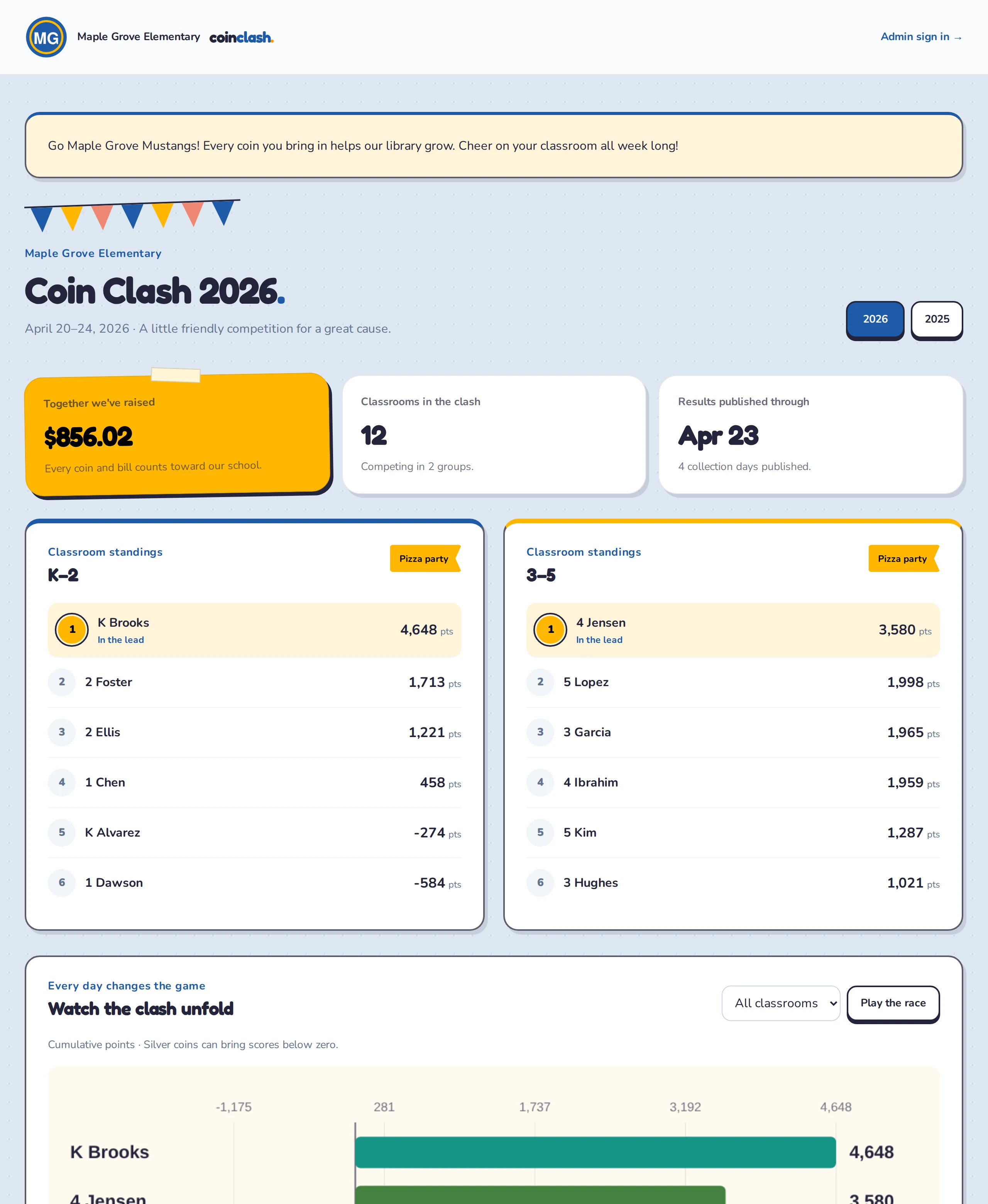
The school page
Your school, your colors
Every school gets its own page at its own web address. Families see the logo, colors, fonts, and welcome message the school chose, plus the total raised so far and each classroom's place in the standings.
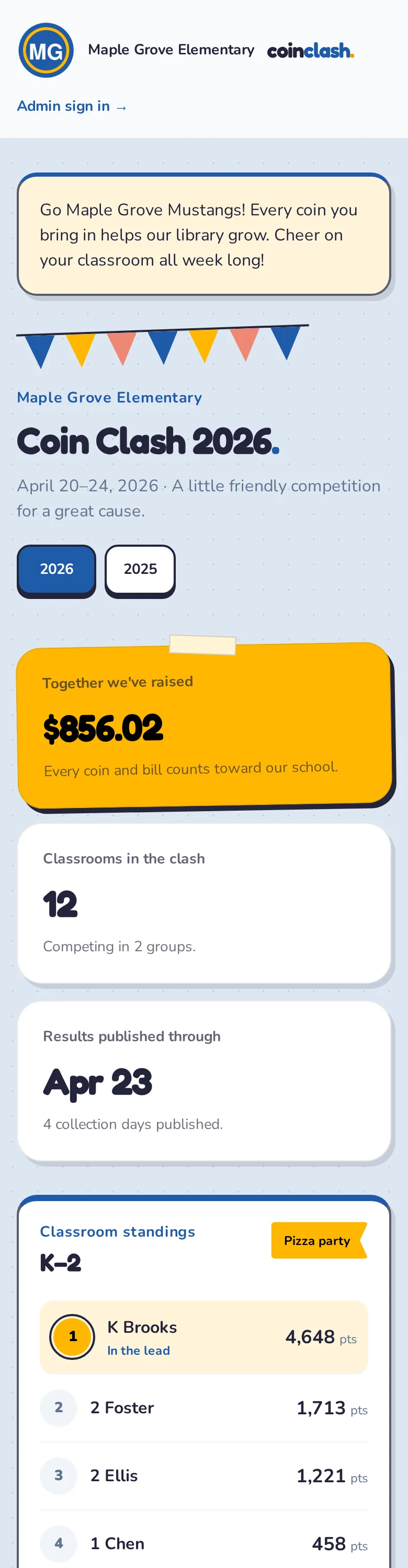
It works on phones, so parents can check the standings from the pickup line.
Standings
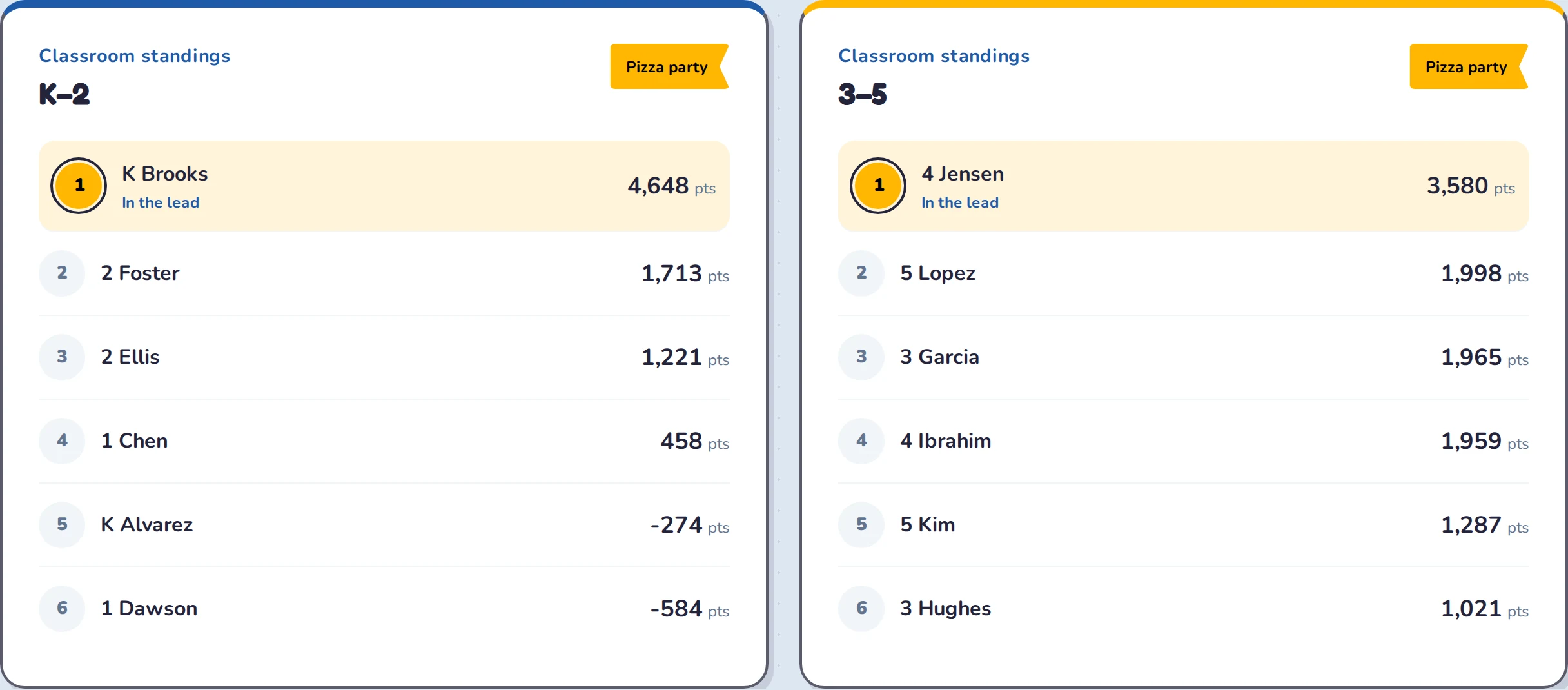
Live standings for every group
- Classrooms compete within their own group, and each group has its own prize.
- The leader is marked while the clash is on, and the winner once results are final.
- Tied classrooms share first place, even when everyone is below zero.
- Standings only change when the school publishes a day, so nobody sees half-counted numbers.
Charts
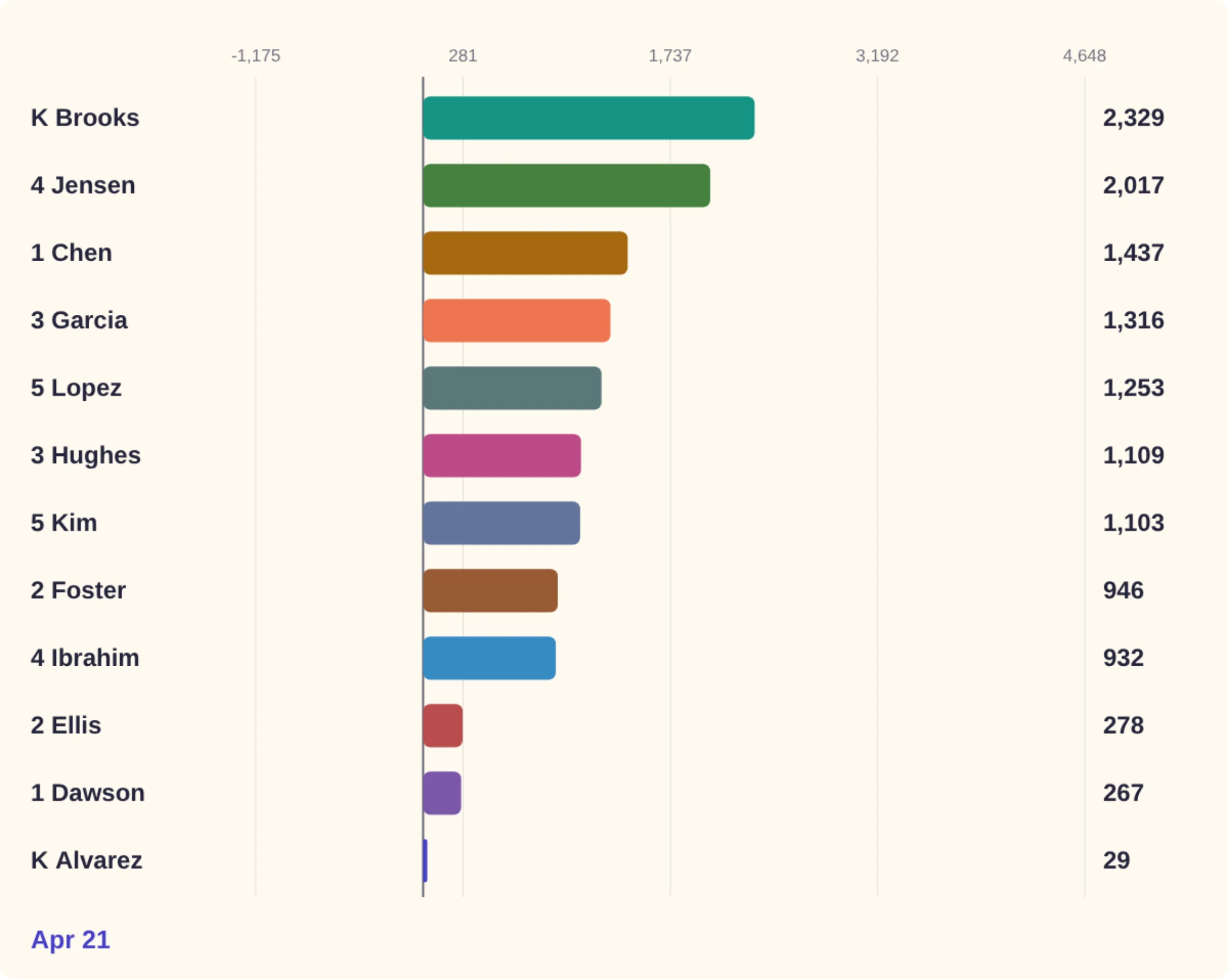
Charts that tell the story
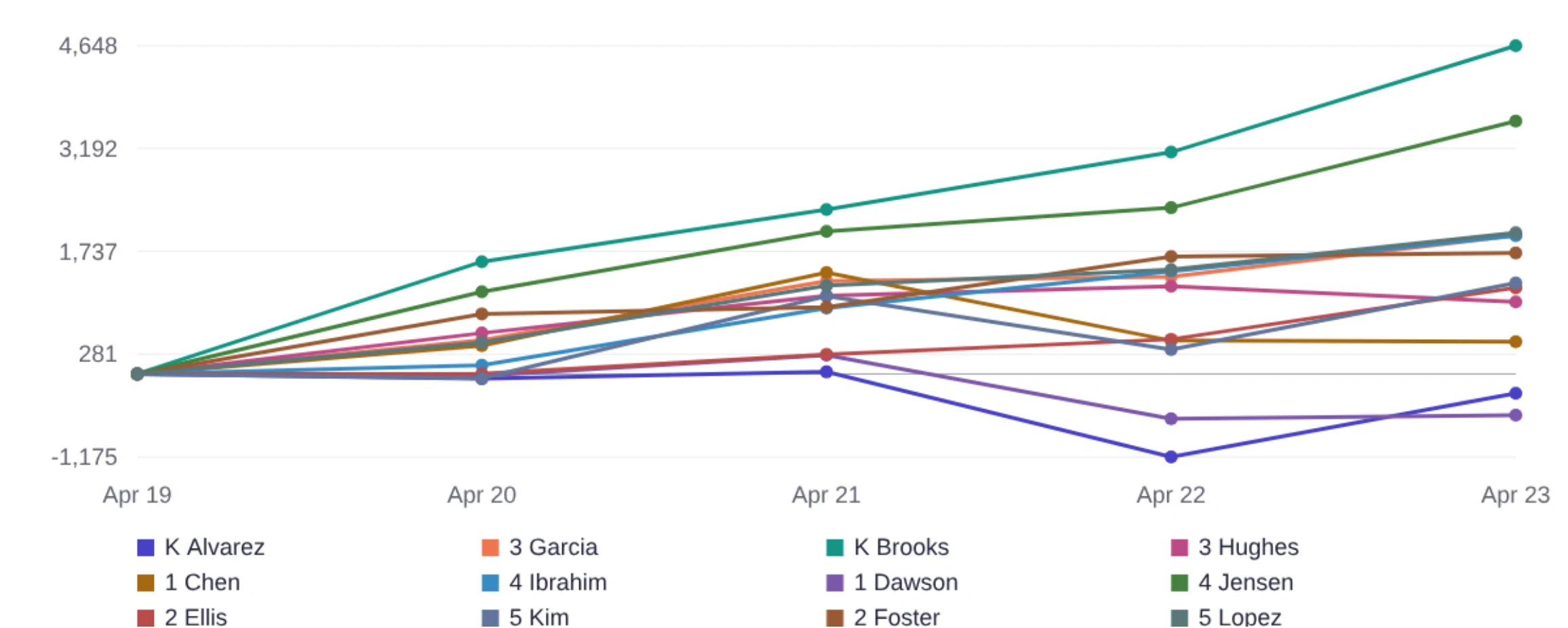
The bar chart race replays the whole week. Bars swap places as pennies pile up and quarter attacks knock a classroom back. Press play, drag the slider, or pick a single group.
Points over time
- One line per classroom, one point per published day.
- A true zero baseline, so a classroom dipping negative is plain to see.
- Exact numbers live in the daily table below the charts for anyone who wants them.
Classroom printouts
Trackers for the classroom wall
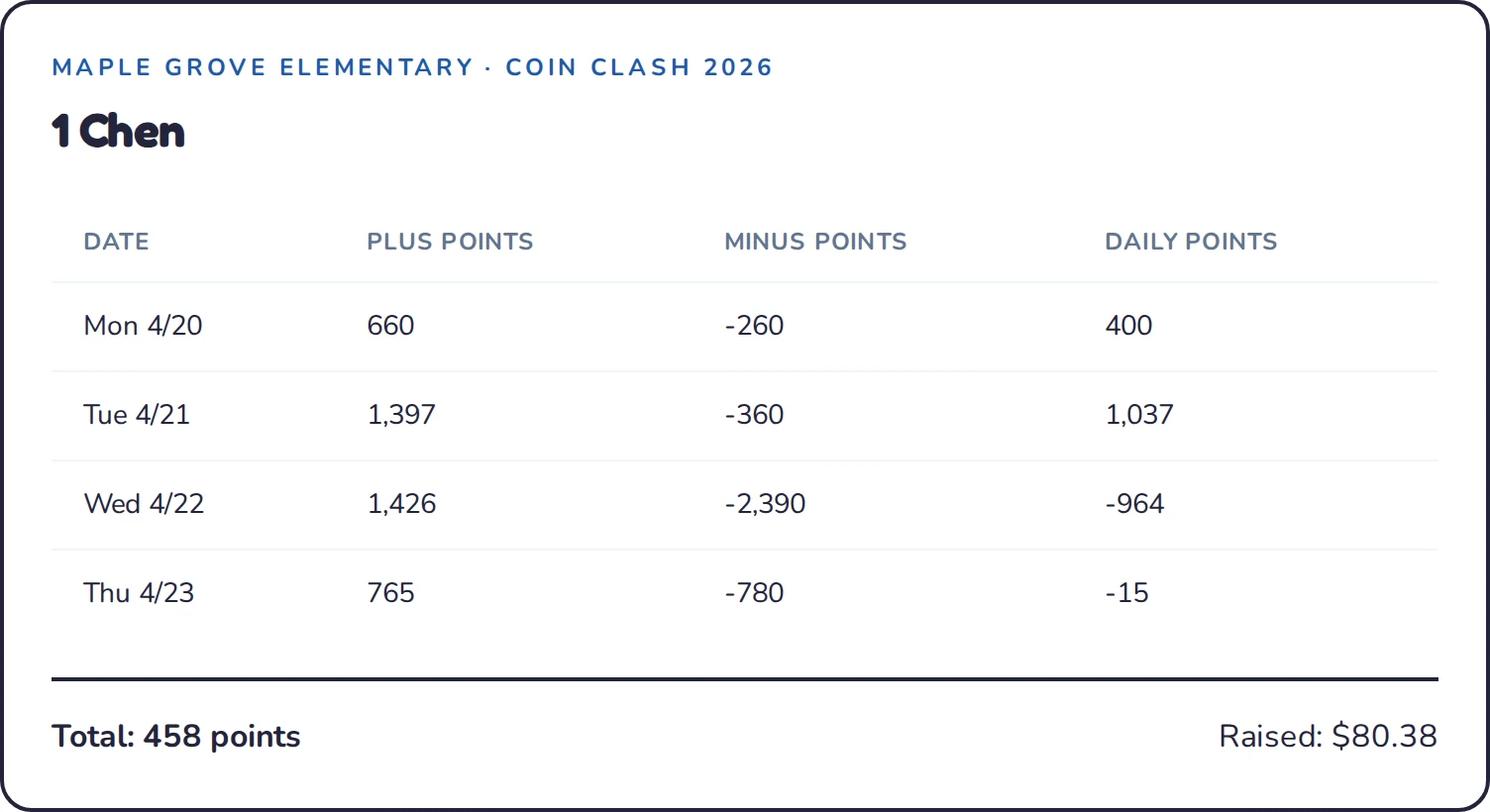
- One card per classroom, with plus points, minus points, and daily points for each day.
- Totals and money raised at the bottom, so teachers can celebrate both.
- Cards stay whole on the page. Print the whole set from your browser, cut, and post.
The details
Every day, every classroom
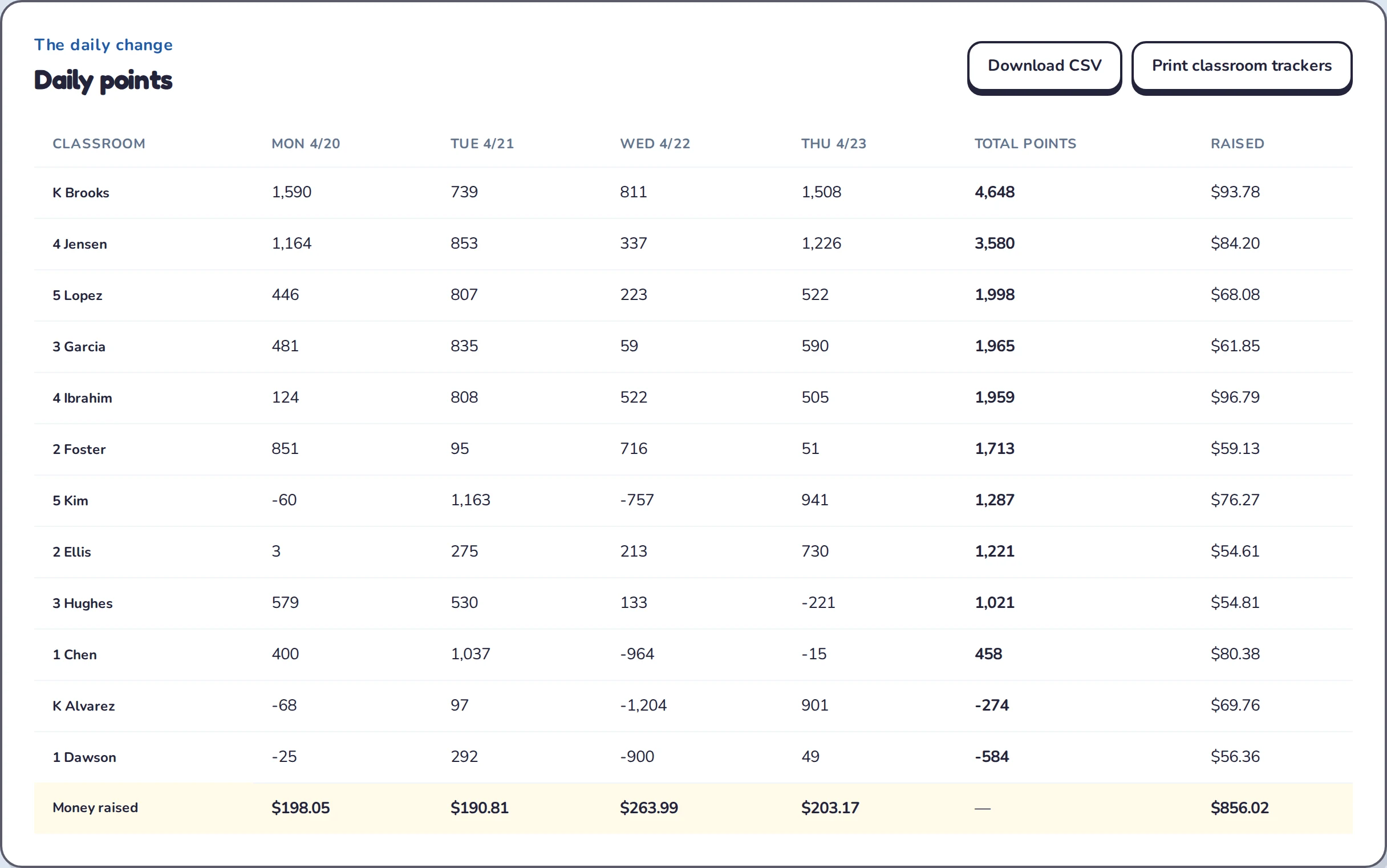
- A daily table of points per classroom and money raised per day.
- Download the published results as a CSV for the newsletter or the PTO treasurer.
- Past fundraisers stay online, so families can compare this year with last year.
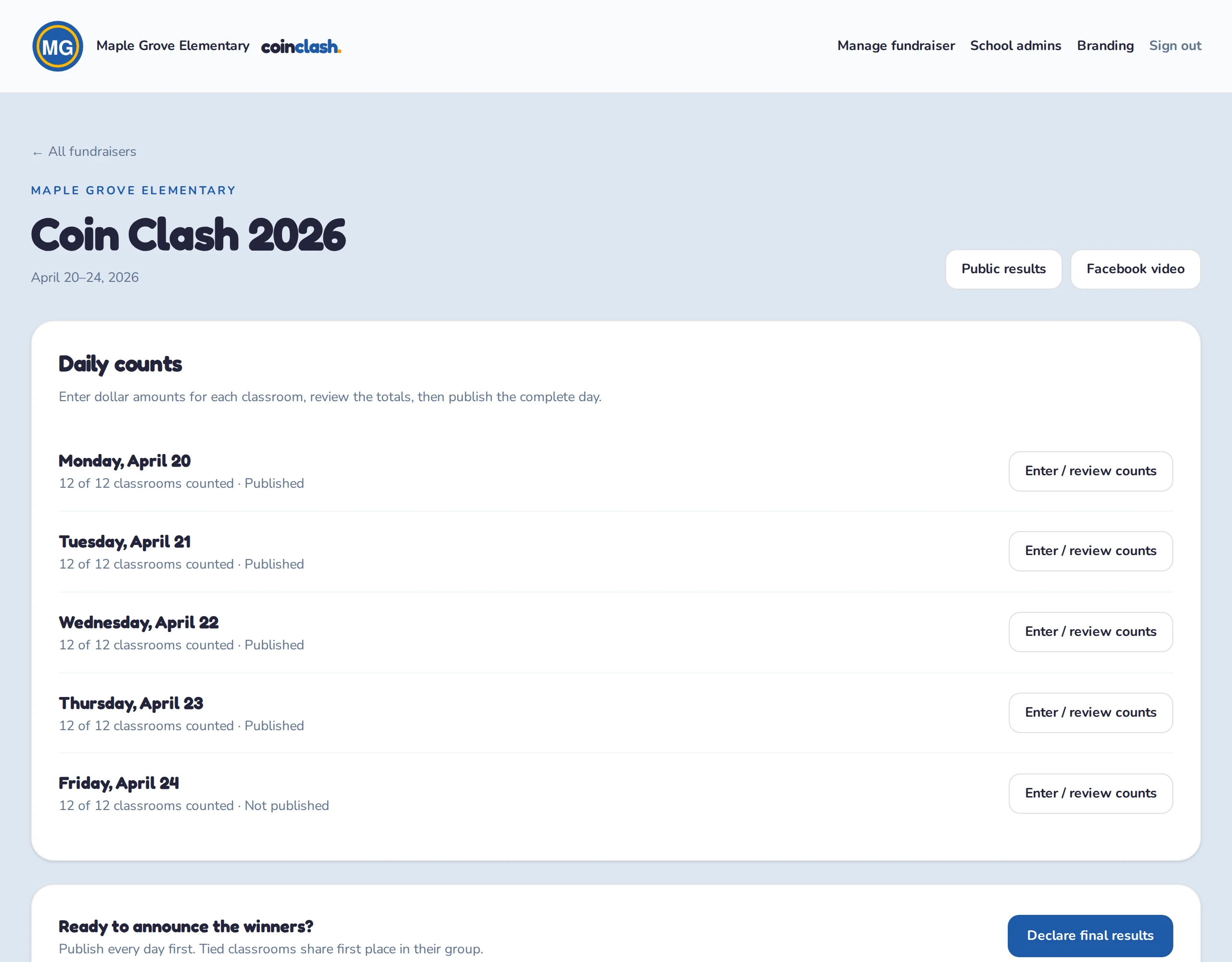
Daily counts
Enter the bank count, not the math
Type the dollar amount for each denomination straight from the bank slip. Coin Clash turns it into points as you type, adding pennies and bills and subtracting silver.
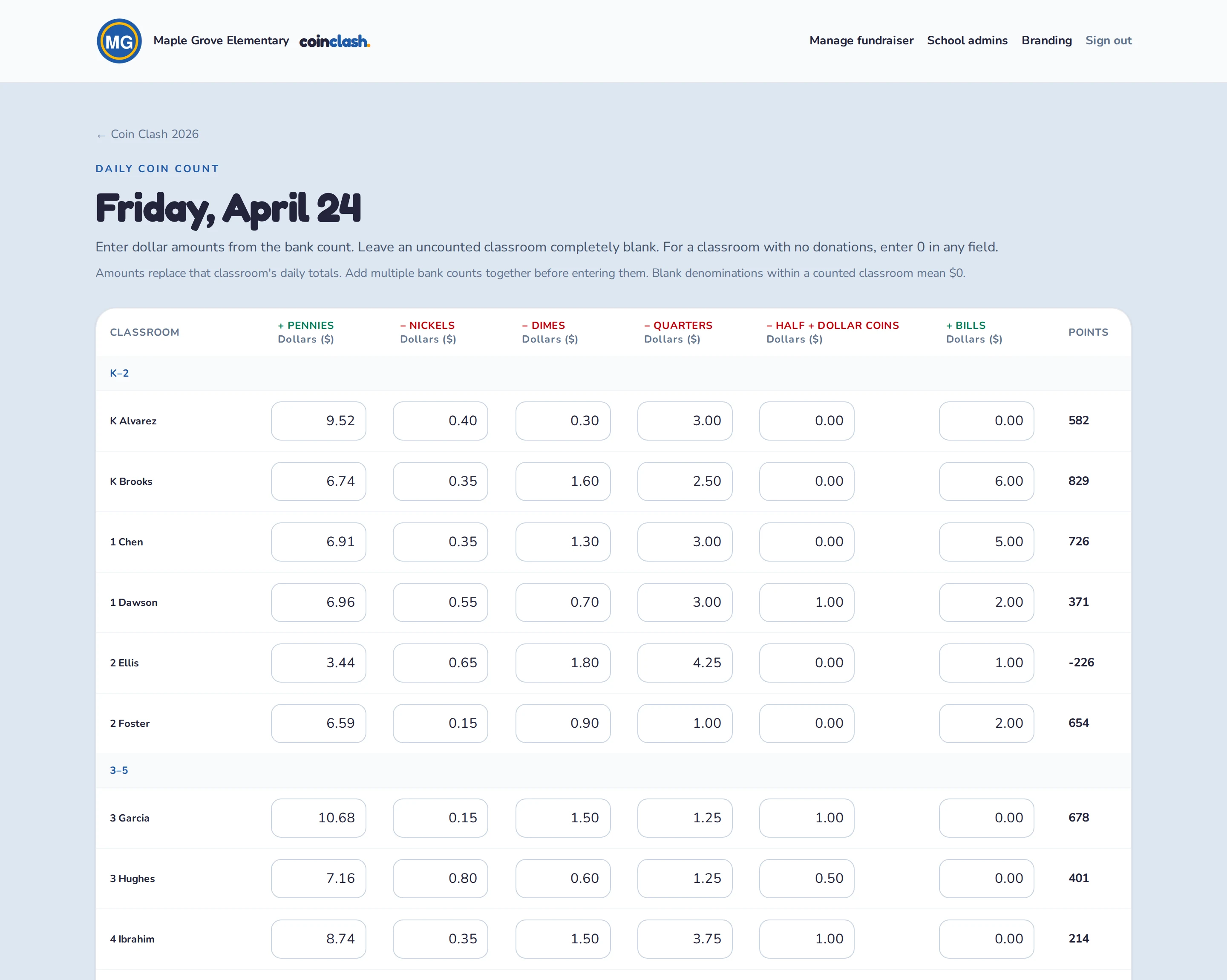
- Leave a classroom blank if it has not been counted yet. Enter a zero if nothing came in.
- Amounts replace that day's total, so combining two bank trips is simple.
- Two people editing at once cannot overwrite each other. The later save is asked to reload.
- Every save and publish is recorded with who did it, when, and the full snapshot.
Publishing
Publish when the day is complete
- Saved counts stay private until you publish the day. Publish once every classroom is counted.
- Fix a mistake later and republish. Until then, families still see the earlier published numbers.
- Days publish in order, so the charts never skip a day.
- Declare final results when the week is over. Reopen if a late count turns up.
Online donations
Let families give with Venmo
Parents, grandparents, and relatives can support the fundraiser from anywhere, with an optional classroom choice to award points.
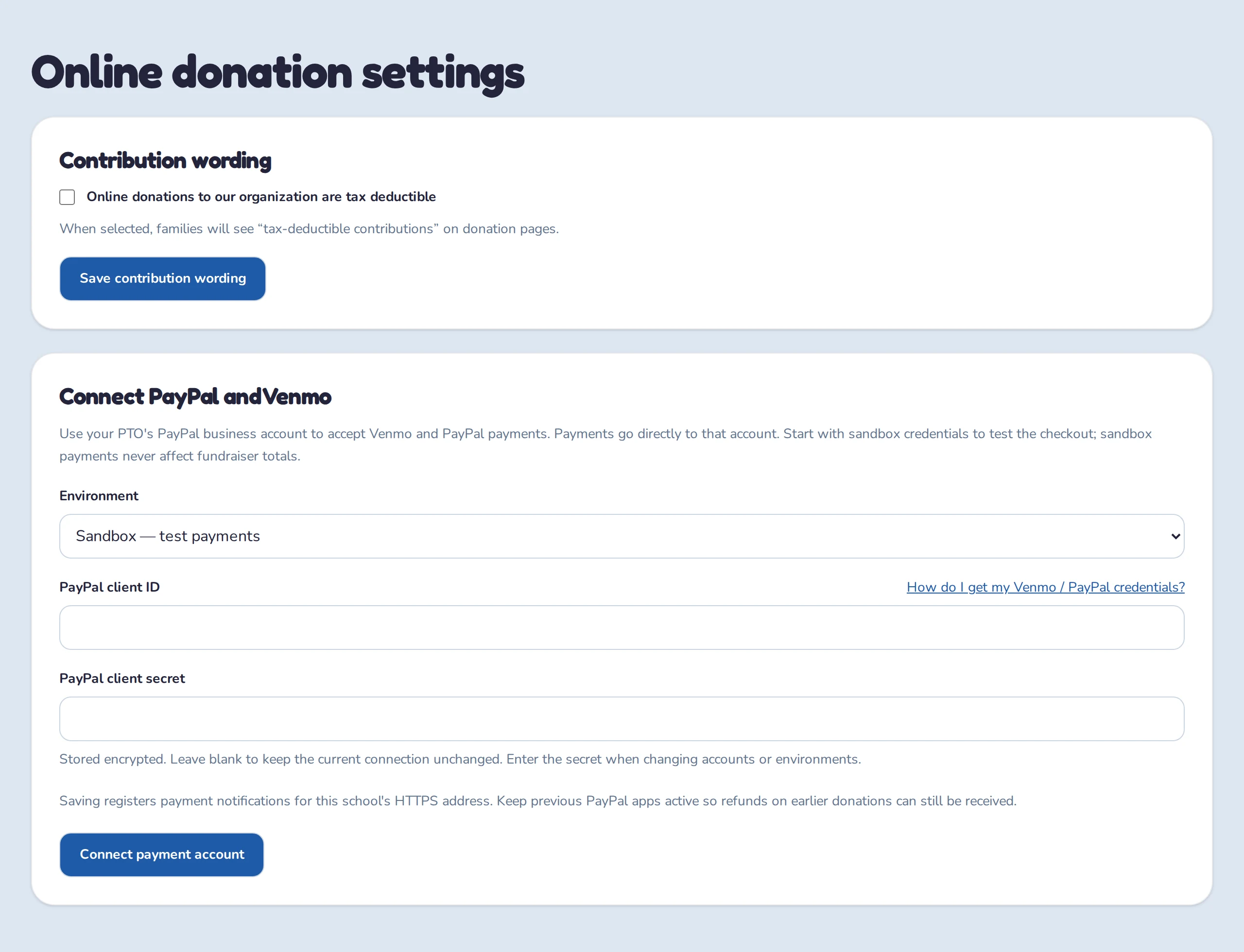
- Connect your PTO's PayPal business account to accept Venmo and PayPal payments directly into that account.
- A help link beside the credential fields walks you through getting your API credentials, testing in sandbox, and switching to live payments.
- Turn online donations on for each fundraiser during its collection dates, and set its minimum donation and maximum class credit.
- If contributions to your organization are tax deductible, enable the school setting to show that wording to donors.
More support, with a limit on class credit
Choose your minimum donation and class-credit cap. The defaults are $5 minimum and $20 (2,000 points) maximum credit per donation. Choosing a classroom earns dollar-for-dollar credit up to that limit. The full donation counts toward money raised before payment processing fees.
- Donation
- $50
- Class credit
- $20
- Class points
- 2,000
This example uses the default $20 cap. Each donation gets its own cap; giving without a classroom awards no points.
Review payments, then publish
- See pending and confirmed payments, refunds, and class credit in the fundraiser's donation list.
- Confirmed donations are added automatically when you publish their collection day. Keep them out of the physical bills count.
- Refunds and reversals update draft totals for review and republication. Families keep seeing the last published results until then.
- Sandbox payments never add real money or competition points.
Branding
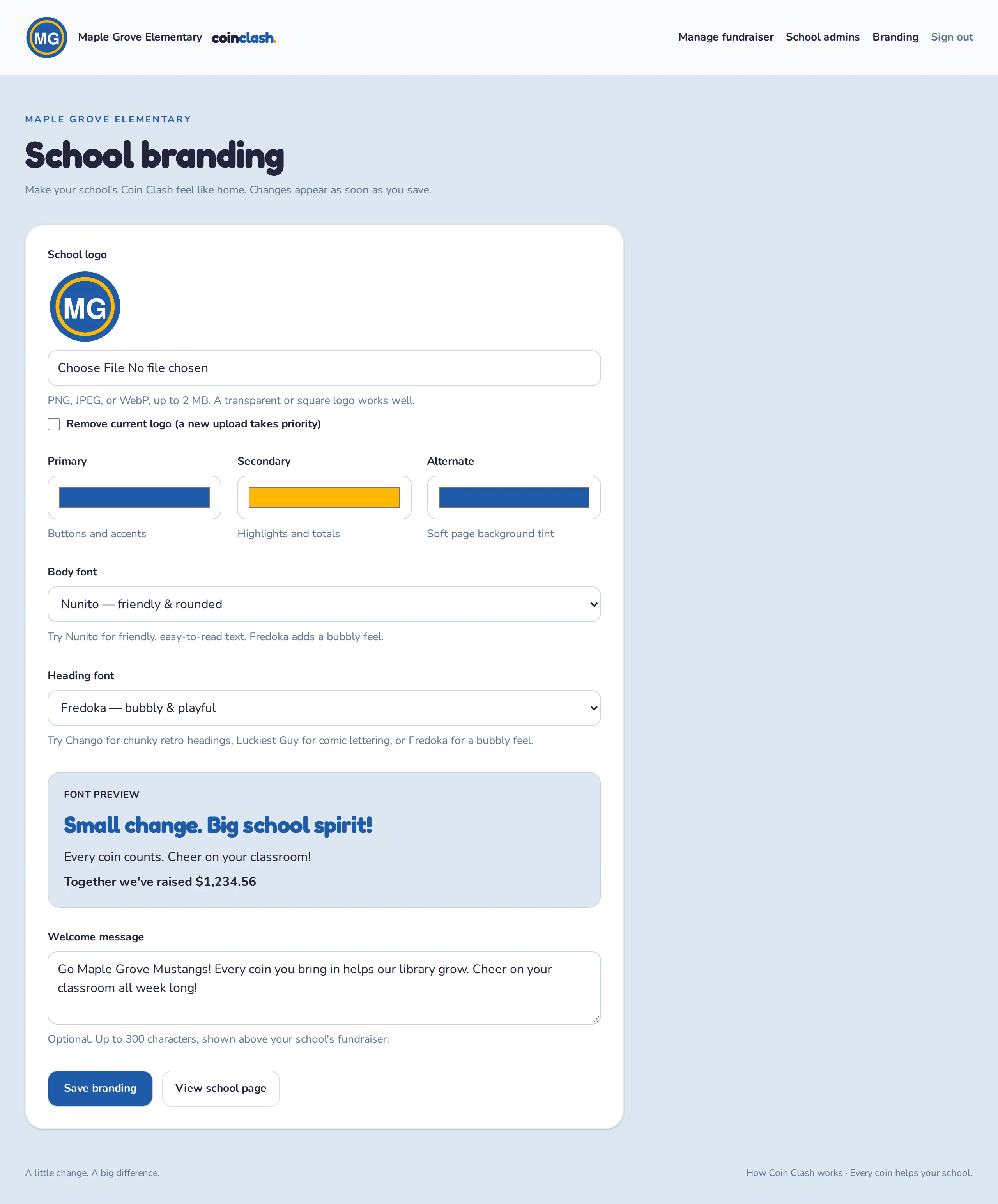
Make it feel like your school
- Upload the school logo and pick primary, secondary, and background colors.
- Choose from playful bundled fonts like Fredoka, Nunito, Chango, and Luckiest Guy, with a live preview.
- Write a welcome message that greets families above the standings.
- Changes go live the moment you save.
Sharing
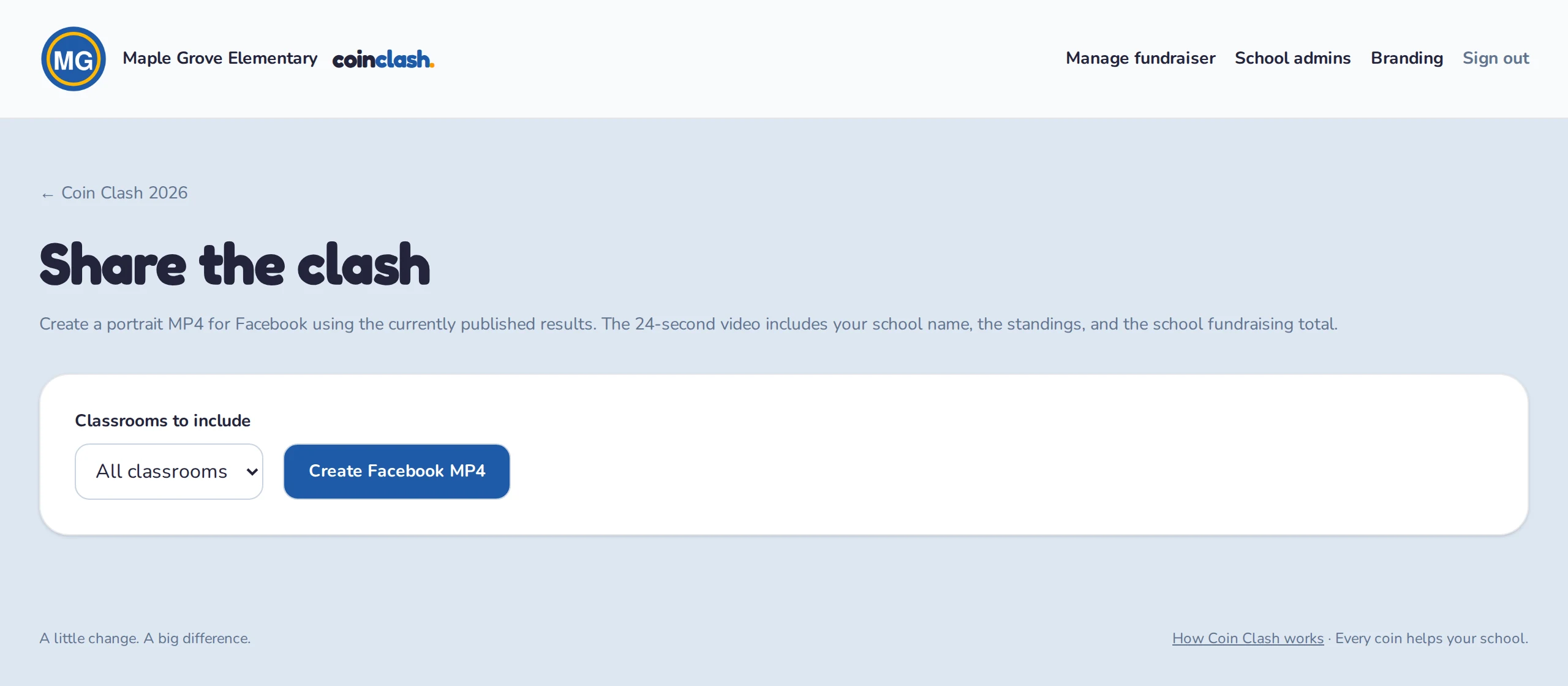
Share the clash on Facebook
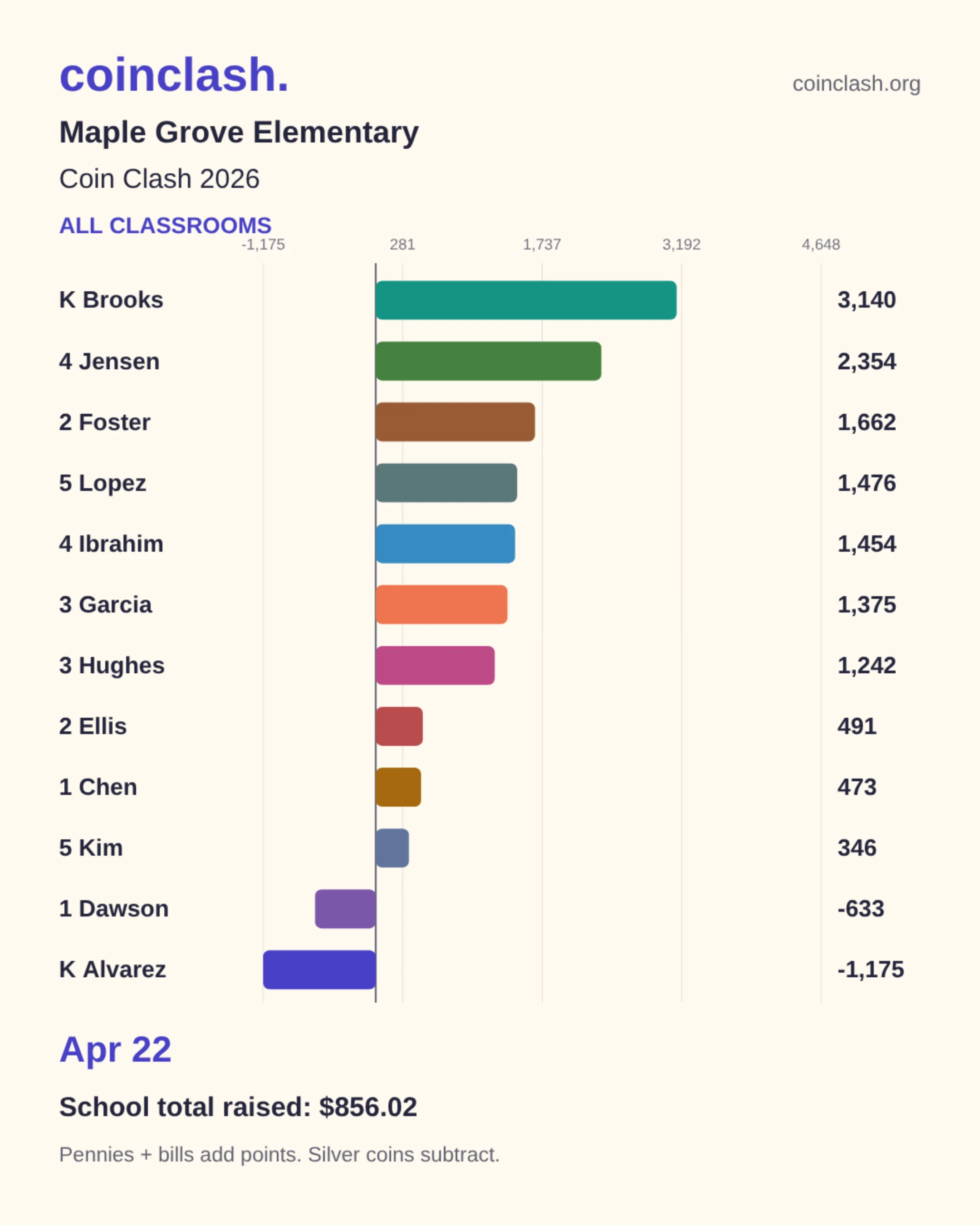
- One click creates a portrait MP4 of the bar chart race from the published results.
- Sized for Facebook and Instagram at 1080 by 1350, 24 seconds, ready to attach to the school's post.
- Export every classroom or a single group.
Access
Only the right people can count
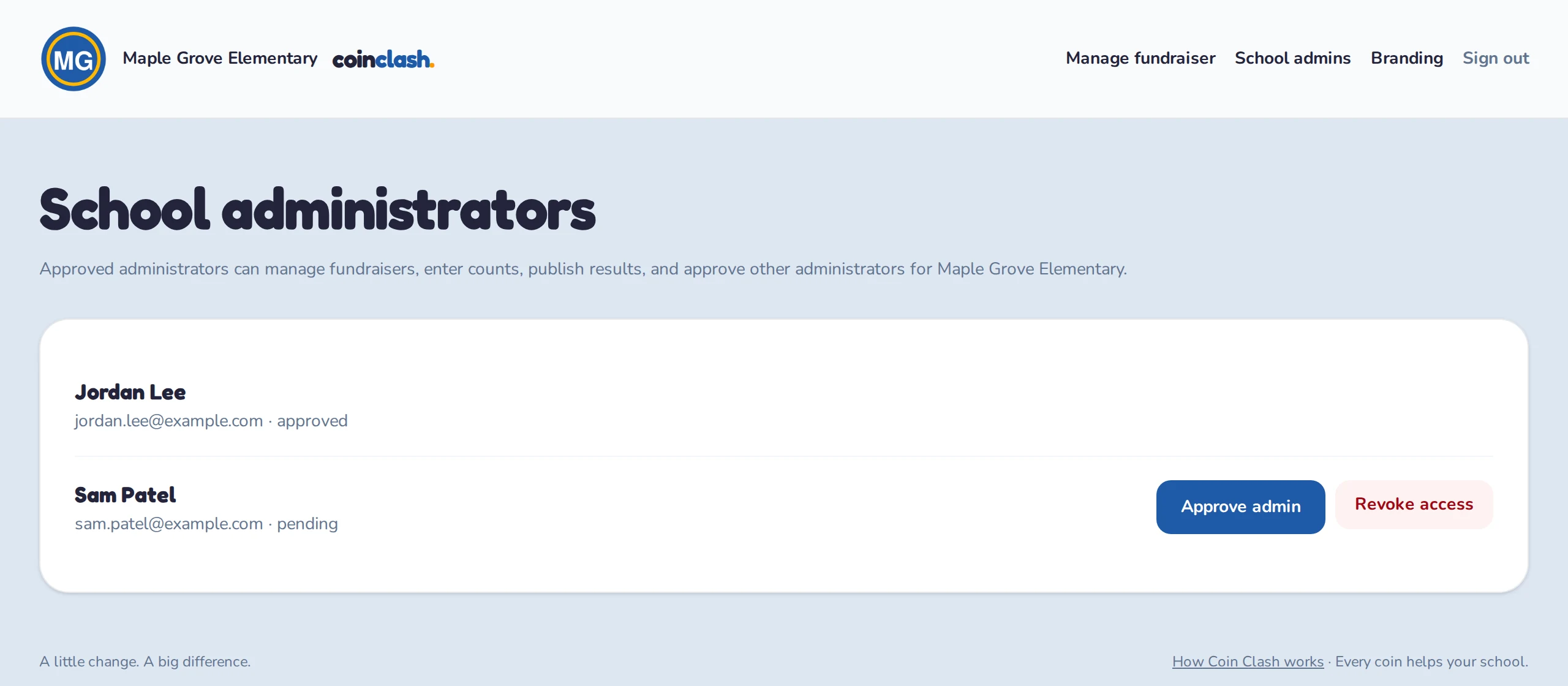
- Administrators sign in with Google. No passwords to manage.
- New helpers wait for approval from an existing administrator, and access can be revoked at any time.
- Each school's data lives in its own database. Results are public, and everything else is scoped to your school.
Year after year
Start next year in a minute
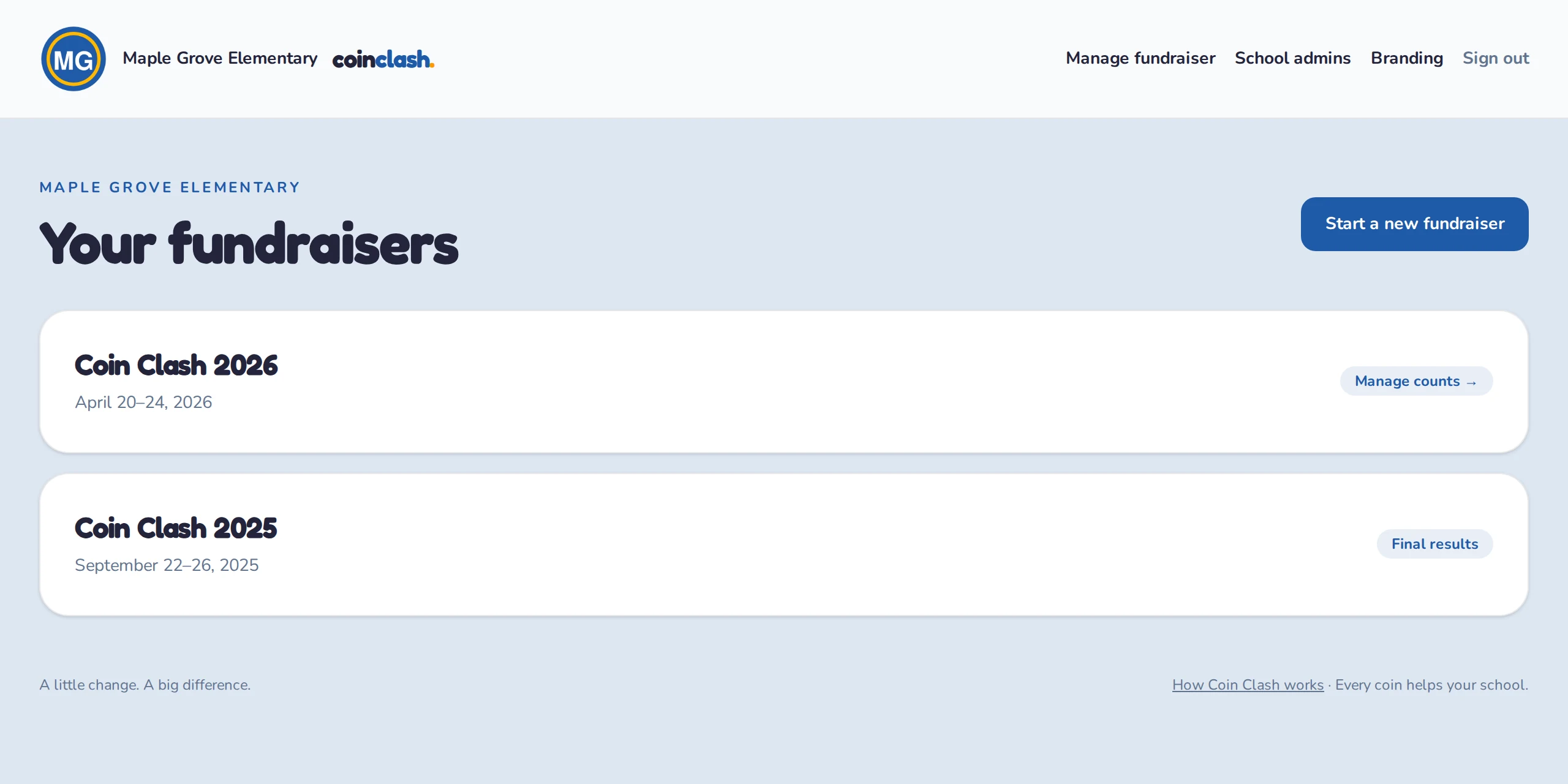
- A new fundraiser copies last year's groups, classrooms, and prizes with fresh dates.
- Update teacher names, set the week, and you are ready for Monday's count.
- Past years stay online for families and for comparison.
How scoring works
The top classroom in each group wins. Tied leaders share first place. Every coin still counts toward the money raised.
+ Add points
Pennies and paper bills add 1 point per cent to a classroom's score.
− Shake things up
Nickels, dimes, quarters, and dollar coins subtract 1 point per cent. Drop them in a rival classroom's jar.
Ready to follow your school's clash?
Pick your school from the directory to see live results, or sign in to manage a fundraiser.